Recently, as I was perusing Twitter, I stumbled upon a cool video posted to the US Holocaust Memorial Museum's web page. I thought it was appropriate for both my English II students (recently having completed their Holocaust unit) and my (1984-studying) British Lit kids. Take a look!
Showing posts with label English II. Show all posts
Showing posts with label English II. Show all posts
Saturday, May 18, 2013
Monday, October 8, 2012
Before you turn in the any essay...

- I've been crazy busy with making assignments, working on my Masters, and grading all you work.
- I've been posing a lot more to the shared Evernote Notebook. (Subscribe here!)
- We've been hammering away at "standard" reading, assignments, and other homework that doesn't require too much extra explanation.
- I've been so slammed with things that I haven't been able to "play" with tech stuff and show you how to use it.
Hopefully, I'll get back onto posting on here again soon. However, until then, I've got a resource that all students, especially essay-writing British Literature kids, ought to take a look at. Before turning in a paper to any teacher (notably, myself), I'd take a peek at the following list (available for you to download here) and make sure you check everything off the list.

- Find and destroy the following:
- intensifiers / de-intensifiers (e.g really, pretty, maybe, mostly, nearly, barely)
- blah words (e.g good, bad)
- Check all your verbs:
- Are they all present? All past?
- Are there any be verbs (i.e. am, is, are, was, were, be, been, being)? Kill as many as you can.
- Did you write active sentences? Were passive sentences written by you?
- Recheck for sloppy errors:
- Are there any "red squiggly" errors? (e.g. teh, Mr. Web, alot)
- Is the formatting up to the teacher's standards? (e.g. margins, font size/type, tabs, title, bibliography)
- Did you reread your essay OUT LOUD?
- Take the "Ahhhhh" test:
- Is your reader going to be smarter/better-informed after reading this?
- How long is your teacher going to say "Ahhhhh" after reading it?


I can't guarantee that going through every question will automatically earn you an A, but I can guarantee you that it'll help quite a bit. Take note!
Sunday, October 7, 2012
Here's something I hate, and a way you can make sure I'm free of it
"A happy teacher grades you better than an unhappy teacher." ~Mr. WebbWant to know something that annoys me? When I sit down to grade blogposts, read or watch your awesome work, come up with the score I'm going to give you... and then I see this:


So, interested in getting yourself a happier teacher? Of course you are:
- Go to your Blogger.com page. Once you get there, go into the Settings for your blog for my class.

- Change your Show Word Verification settings under Posts and Comments. Make sure you switch it to "No".

- Save the changes.


Easy, right? It's so easy, in fact, that I will ask that you change this setting immediately. From now on, each time I have to fill out word verification on your blog, I will lower your final semester score by 10%! NO FORGIVENESS ON THIS! So do it right now!
Wednesday, September 12, 2012
English II Whiteboard pop quiz

- Normalizing—definition in your words + example from something we've read
- Explain the 3 places something can go wrong when you communicate. (HINT: Shannon-Weaver)
- Explain Hemingway's Iceberg Principle.
- Suspension of disbelief—definition in your words + example
- A) What do you think the metamorphosis was in The Metamorphosis? B) Why?
 |
| Extreme focus during a quiz |
 Posted with Blogsy
Monday, September 10, 2012
What if Gregor Samsa mailed Dr. Seuss?

Herr doctor, I find myself, for reasons inexplicable to me or my loving family, to have woken up this morning transformed into a cockroach. I am reasonably certain this is not a dream. Can you help?Honestly, it's like a match made in heaven: the random weirdness of Franz Kafka's The Metamorphosis and the creative rhyme-meter of Dr. Seuss. What would happen if the former and the latter got into a conversation?
National Public Radio (
 )'s awesome program This American Life, hosted by Ira Glass, recently did a cool fictional letter correspondence between these two literary legends. Below is the audio file, and the transcript is here. Take a peek at this awesomeness!
Thursday, August 16, 2012
Praying for each of you, every day!

We talk about God a lot at TAPA, and I hope that students realize that this is because we all truly believe how powerful He is. We believe in Him so much, that, daily, we ask Him to come into our classes help us all to learn, take care of us, and bless us. Whether you know it or not, every teacher at TAPA also prays for students, both in class and in our personal time. We want you to not only succeed in school, but to feel the awesome power that God brings into your lives.
In addition to praying for all of you, like I do every day, I'm adding in another prayer goal for myself: I want to pray for every student, specifically, twice this semester. If you click at the top of the page where it says "Prayer List" (or at the embedded sheet below), you'll find a list of all my students for this semester. If you're one of my students, you'll find your name on that list. On the date next to your name, know that I'll be praying specifically for you in whatever you're doing.
If you want to come find me and pray with me, cool. If you want to tell me ahead of time what to pray for specifically, great. If you don't really want to, that's fine, too. No matter what, I'll be asking God to take care of you and be with you, not only for that day, but in all your endeavors.
Cool? Cool. Hey, Friday's almost here—have a good last day of the first week, and enjoy your weekend, too!
Wednesday, August 15, 2012
Do you need Blogsy? Answer a quick survey to win a free* app!
Rather than handing in paper and killing trees [NOTE: the trees are already dead.], students will be doing the majority of their homework on a class blog. I have in-depth instructions on how to set one up, and I'm always available to tutor you through it as well, but simply setting up a blog is not enough.

 A good blog includes pictures and video and interesting formatting, all with the purpose of earning (and keeping) your audience's attention. Typing up the information is really easy to do on your iPad--I mean, with a secret email address, you can even do it on Evernote or QuickOffice or the Mail app. However, if I'm going to give you TOAST points for including all the good elements of a blogpost, you're going to need to include some extra media.
 You can just to to the App Store and buy it yourself, or I can purchase it for you and gift it to you in class. It's up to you, but you've got to let me know as soon as possible. This link (and the QR code to the left) will take you to a form you can fill out that will tell me if you need to buy it, if you want me to buy it for you, or if you already have it. This is a required app for Webb classes, and I will be giving you a quiz that includes the question:
If it's not, you're losing points, your grades will suffer, you'll probably not graduate from high school, and you'll have to spend the rest of your life giving pedicures to crocodiles. For free.
So, one more time:
TAKE THE QUICK 15-SECOND SURVEY TO LET ME KNOW HOW YOU ARE GETTING BLOGSY ONTO YOUR IPAD. RIGHT NOW.
Good.
*The app isn't really free, but I will freely buy it for you with your money. Sorry.

 A good blog includes pictures and video and interesting formatting, all with the purpose of earning (and keeping) your audience's attention. Typing up the information is really easy to do on your iPad--I mean, with a secret email address, you can even do it on Evernote or QuickOffice or the Mail app. However, if I'm going to give you TOAST points for including all the good elements of a blogpost, you're going to need to include some extra media.
This is where Blogsy, a favorite app of mine, comes into play. With this program, you can easily create a post that includes media, formatting, and clarity, all in a very easy-to-use package. Last semester, I wrote a primer on how to set up your blog with Blogsy, a must-read for TAPA students. We'll do some in-class training, too, for those of you struggling to figure it out. However, before any of that happens, we need to do something important: GET YOU THE APP.
You can just to to the App Store and buy it yourself, or I can purchase it for you and gift it to you in class. It's up to you, but you've got to let me know as soon as possible. This link (and the QR code to the left) will take you to a form you can fill out that will tell me if you need to buy it, if you want me to buy it for you, or if you already have it. This is a required app for Webb classes, and I will be giving you a quiz that includes the question:DO YOU HAVE BLOGSY INSTALLED?
 |
| Those are fake smiles. They're actually angry. |
So, one more time:
TAKE THE QUICK 15-SECOND SURVEY TO LET ME KNOW HOW YOU ARE GETTING BLOGSY ONTO YOUR IPAD. RIGHT NOW.
Good.
Tuesday, August 14, 2012
Limited vocabulary? Not for long—SAT Vocab quizzes coming for English II

Now, in an effort to push myself and my students, I've changed the list a little bit, removing a few, adding some more, and ultimately raising the number to 170. This will be a weekly quiz for English II students, first thing every Monday
- Download the list. It's a PDF, so I would suggest saving it to GoodReader and possibly Dropbox. Also, if you're using a program like Evernote, I'd be willing to email you a plain text file so you can easily view offline.
- Create a visual SAT (vSAT) blog entry. Every week, by Monday, create a blog entry with all the following information:
- The vocabulary word (spelled correctly!)
- The part of speech (e.g. noun, verb, adjective, adverb)
- The definition of the word. (Do not just copy-and-paste from Dictionary.com—write your own definition that proves you understand.)
- A picture that reminds you of the word or the definition or helps you remember it, and
- A short paragraph explaining why the picture "makes sense."
- Take the quiz. At the beginning of the week, first thing, we'll do a quiz over the 10 vocabulary words for that week. Expect the quiz to be either matching or fill-in-the-blank.
- Don't forget... Your midterm and final exams will include quizzes over all the words we've studied so far, so don't just forget as soon as you take the quiz.
I made my own version of what I'd like your blogposts to look like—take a look at it here.

Notice I didn't just look up the word and insert the first picture I could find; I had good reasons for picking them. Do that.
If you have any questions, I'll do my best to answer you as soon as possible. Just shoot me an email and I'll re-explain my expectations. Good luck!
Friday, August 10, 2012
Required Apps for Webb classes
Originally posted 8/4/11.
For our second year, Taipei Adventist Preparatory Academy is going "full-iPad"—thin, electronic tablets instead of heavy paper books. Being that now students will have computing power at their fingertips, they won't simply be expected to use their iPads as textbooks—they'll also be expected to use them for enhancing their learning other ways, as well. There is a set list of apps that are required school-wide, but there's also a special list of (mostly) free apps that will be expected to be used in Mr. Webb's classes:
For our second year, Taipei Adventist Preparatory Academy is going "full-iPad"—thin, electronic tablets instead of heavy paper books. Being that now students will have computing power at their fingertips, they won't simply be expected to use their iPads as textbooks—they'll also be expected to use them for enhancing their learning other ways, as well. There is a set list of apps that are required school-wide, but there's also a special list of (mostly) free apps that will be expected to be used in Mr. Webb's classes:
GoodReader  |
QuickOffice Pro HD  |
Evernote   icon and easily record your teacher's talk. Remembering what the whiteboard said? Take a photo of the board and put it in, and, later, you can search the picture for text. Add in tagging (the best feature you're not using), and, most importantly, everything backed up to the internet, and you've got a killer app you should be using every period. icon and easily record your teacher's talk. Remembering what the whiteboard said? Take a photo of the board and put it in, and, later, you can search the picture for text. Add in tagging (the best feature you're not using), and, most importantly, everything backed up to the internet, and you've got a killer app you should be using every period. |
Blogsy   |
Dropbox  |
Scan  |
Easy QR  |
Minu Timer  |
iBooks  |
Stanza  |
Shakespeare (Free)  |
Free Books  |
Monday, August 6, 2012
vSAT words for week 1
***This is a sample of what I want the English II vSAT weekly blogposts to look like. Make sure you tag it "vSAT", include the part of speech AND definition AND picture AND description, and that it looks clean.***


So when I heard acute, I thought of the "cutest" animal I've ever seen: a tarsier. These little monkey-like things in the Philippines were so tiny and sweet, but they're wild animals, and so they could freak out anytime and bite you. Their mouths are so small, though, that you probably wouldn't feel a lot of pain--it would just be an acute pain.
 In the middle of the word adjacent is the sound "ja-sen," which reminds me of my college best friend, Jason. For a while we were roommates, but I ended up kicking him out of my room (because I like my space). Luckily, we stayed great friends, and he moved across the hall from me, so we still hung out all the time. Since he was still next to me, Jason was adjacent to me.
 Adjudicate contains the Latin root word -jud-, meaning "to judge". Self-explanatory.
 This picture made me think of the Second Coming of Jesus, when everyone will praise the coming of the King. Adulation indeed.

When I hear this word, I think of this movie called "The Devil's Advocate" I saw a few years ago. It SCARED me so bad that I only watched the first 5 minutes of it, and then I made my roommate (Jason, actually) take it to the video store because I didn't even want it in my room.

Stupid, but when I hear "affable", I hear the "aff" sound in the middle, which sounds like laugh. I think that, for the most part, people who laugh at my jokes are friendly, and I feel affable towards them!
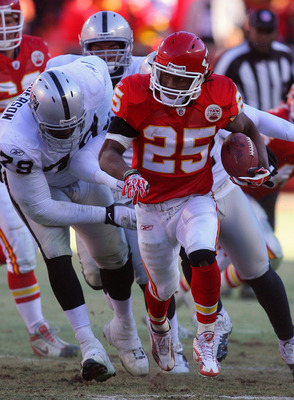
 I learned this word from playing video games. In my favorite football game, different players have different ratings for how good they are, and one of my favorite players, Jamaal Charles (seen here) has a very high agility rating.
abridge (v) to cut down or shorten
I chose this picture for the word abridge because it sounds just like "a bridge", so obviously, I thought that would be a good choice. But if you look at how the bridge in this picture works, it makes it faster to get from the beginning to the end. If you were going to walk to the end of it, it would be a lot easier if you had a bridge like this.
abyss (n) a deep void or chasm

When I looked up the word abyss, I found this statue in the Mediterranean sea called "Christ of the Abyss", and I totally loved it. I want to scuba dive down there one day.
accord (n) an agreement

Honda makes a card called the Accord, and that's the car my parents drive. When I think of that and agreements, I think of my dad giving me the keys to their car and telling me I could drive it as long as I took care of it. I agreed to that accord!
acute (adj) sharp, severe, intense

So when I heard acute, I thought of the "cutest" animal I've ever seen: a tarsier. These little monkey-like things in the Philippines were so tiny and sweet, but they're wild animals, and so they could freak out anytime and bite you. Their mouths are so small, though, that you probably wouldn't feel a lot of pain--it would just be an acute pain.
adjacent (adj) nearby, next to, adjoining
adjudicate (v) to settle an argument or dispute, especially a legal case

adulation (n) extreme praise

advocate (v) to argue in favor of something

When I hear this word, I think of this movie called "The Devil's Advocate" I saw a few years ago. It SCARED me so bad that I only watched the first 5 minutes of it, and then I made my roommate (Jason, actually) take it to the video store because I didn't even want it in my room.
affable (adj) friendly, amiable
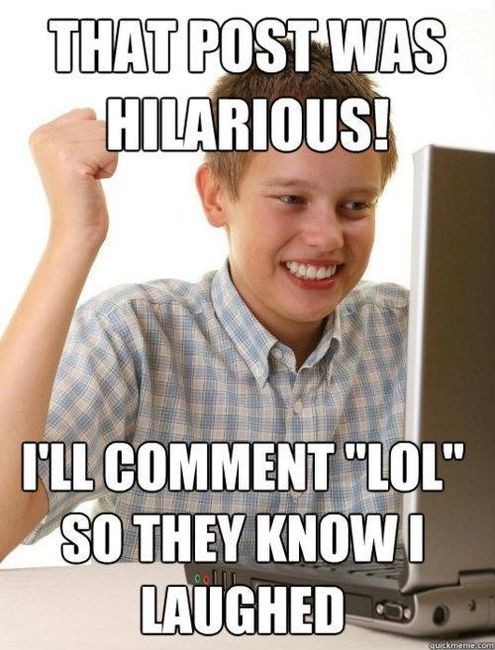
Stupid, but when I hear "affable", I hear the "aff" sound in the middle, which sounds like laugh. I think that, for the most part, people who laugh at my jokes are friendly, and I feel affable towards them!
agile (adj) quick, nimble

Subscribe to:
Posts (Atom)